YouTube tutorial → step-by-step build
The tutorial,
without the video.
Every step, every prompt, every line of on-screen code — extracted and ready to paste into your AI tool.
We're not taking signups yet. Leave your email and we'll write when it's live.
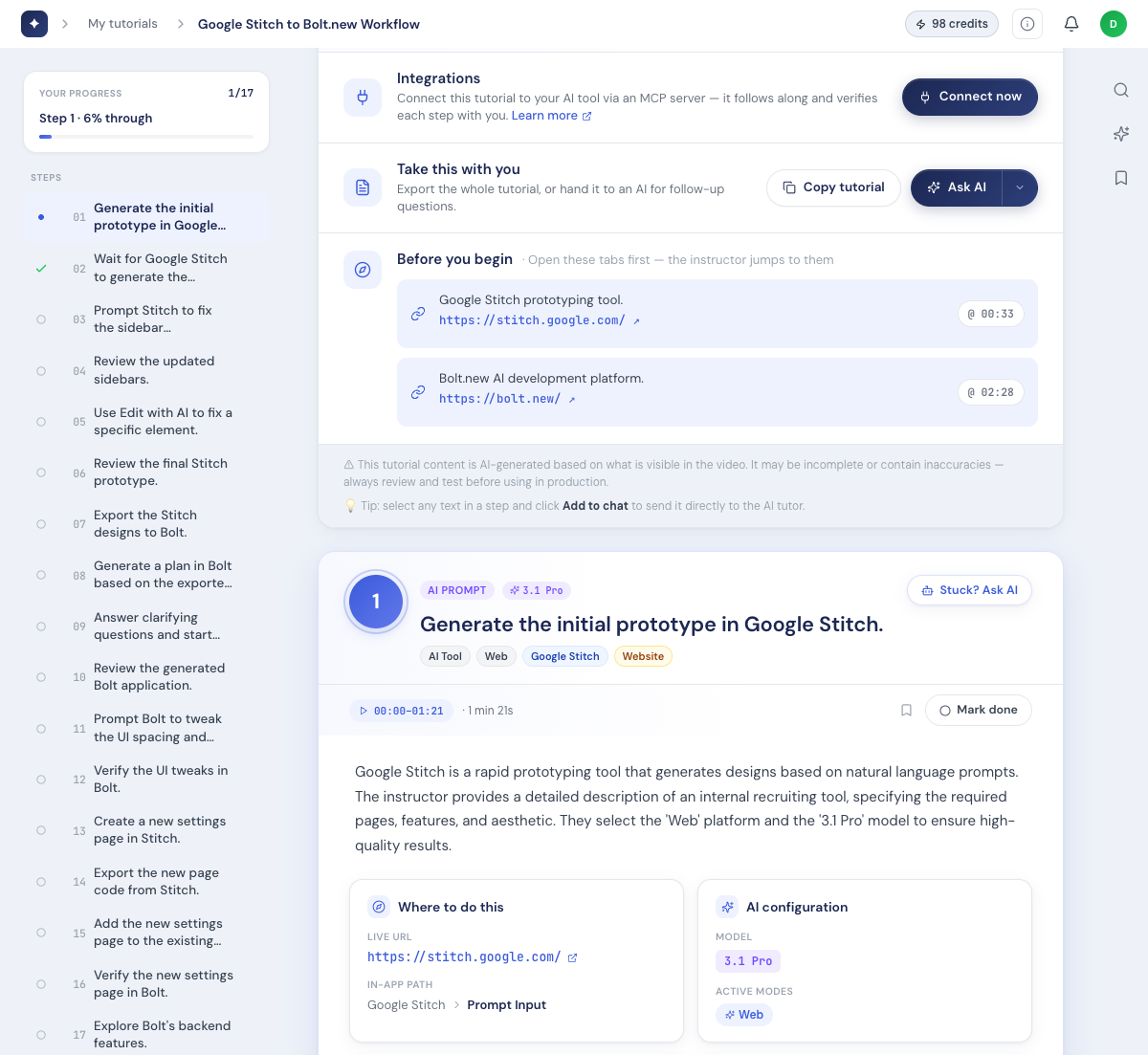
Paste the link
Any YouTube coding tutorial, or your own MP4 — up to an hour.
Tuvio reads the screen
The real code and prompts, frame by frame — not just the audio.
Build it
Copy each prompt, or let your AI drive the build via MCP.
Per-step prompts
The exact prompt, at every step.
Not "ask your AI to build a login form" — the actual prompt, one click to copy. You paste, you don't retype.
"I prefer text. With videos I feel I often need to pause them repeatedly and it pulls away from staying on what I’m doing."
"Every time I follow a YouTube tutorial it feels like I’m just copy-pasting no matter what."
"I built a Chrome extension because I was tired of pausing YouTube coding tutorials and manually retyping code line by line."
The format is the problem. Not you.
End-state checks
Know it worked before you move on.
Every step says what it should produce — so you catch a problem on step 3, not ten steps later. If it didn't work, there's a recovery note.
MCP server
Or let your AI drive the whole build.
Connect a tutorial as an MCP server and your tool walks you through it — including what not to change. Works in IDEs and browser builders alike.
Built-in AI tutor
Stuck? Ask, right in the step.
The tutor sees the step you're on, the transcript, and the screenshot — and explains what you're doing, so you understand it instead of blindly pasting. It's free.
Not a summary. Not a transcript.
A build you can follow.
Most tools read the subtitles. Tuvio reads the screen — the actual code and the actual prompts the instructor typed.
$0.25 per minute of video.
A 20-minute tutorial costs $5. That's the whole pricing page.
Your tutorials stay private to your account, we don't train on your content, and deleting your account wipes everything.
Questions, answered.
What videos does it work on?
Any YouTube coding tutorial — just paste the link. Or upload your own MP4, up to an hour long. Most videos are done in a few minutes.
Do I need a card to try it?
No. You get 10 free credits on signup — enough to turn a real 10-minute tutorial into steps and see if it’s for you.
Which AI tools does it work with?
Cursor, Claude Code, Bolt, Lovable, ChatGPT — and anything that speaks MCP, in an IDE or a browser builder.
Is my content private?
Yes — tutorials are private to your account, we don’t train on your content, and deleting your account wipes everything.
Stop pausing. Start building.
We're opening soon. Leave your email and we'll tell you when you can turn a tutorial into steps.
We'll only email you when Tuvio is open. No other mail.